Quick answer: A Logic Pro template is a saved project with tracks, plug-ins and routing already set up. Make your own through File, Save as Template, or buy one for a genre. WA Production sells Logic Pro templates, and many are priced between $9.90 and $19.90 (checked October 25, 2026). A template sets up the project. A vocal preset sets up one track.
This page is part of our complete Logic Pro vocals guide, which walks through the whole vocal chain from recording to space and presets.
Template, channel strip setting, preset: what is the difference
- Project template: a whole project. It holds tracks, buses, plug-in chains, tempo and often sample content. You open it, then record or arrange.
- Channel strip setting: one track's plug-in chain and settings. Most vocal presets are channel strip settings.
- Plug-in preset: the settings of a single plug-in, such as one compressor setting.
If your goal is a better vocal, you want a channel strip setting. If your goal is to start a beat with the drums, bass and buses ready, you want a project template.
Where to get Logic Pro templates
1. Logic Pro's own templates
Logic Pro opens with a project chooser that includes starter templates for common jobs, such as songwriting, electronic and hip hop. They cost nothing and they are a safe first step before you buy anything.
2. WA Production
WA Production sells templates for several DAWs and has a Logic Pro filter. On October 25, 2026 the Logic listing showed full-song templates at $9.90 to $19.90 each, with EDM, dubstep, future house and future bass as the biggest categories. If you make trap, R&B or singer-songwriter music, check the sample audio before you buy, because the catalogue leans toward dance genres. Sale prices change often.
3. Your own template
The best template is the one built for your workflow. Set up a project the way you start every song, then choose File, Save as Template and name it. Logic stores it under My Templates in the project chooser. Delete audio regions before you save so the template stays small.
What to put in a vocal template
- One lead vocal audio track with your channel strip setting loaded.
- Two or three backing vocal tracks routed to a bus with its own compressor.
- A send for reverb and a send for delay, set to your usual times. Our reverb and delay settings cheat sheet gives starting values for any tempo.
- A tempo and a rough-mix stereo output so you can compare against a reference.
Build the vocal chain once and reuse it. Our Logic Pro vocal chain guide shows a stock-plugin order you can copy into your template.
How to judge a paid template before you buy
- Listen to the demo and check that the mix, not only the sample content, sounds good.
- Check which plug-ins it needs. A template that relies on third-party plug-ins will open with missing-plug-in warnings if you do not own them.
- Check the Logic Pro version it was built in. Templates built in a newer version may not open in an older one.
- Check the licence. Most sell the right to use the sounds in your own releases, but you cannot resell the template.
Skip the building, or study a finished chain.
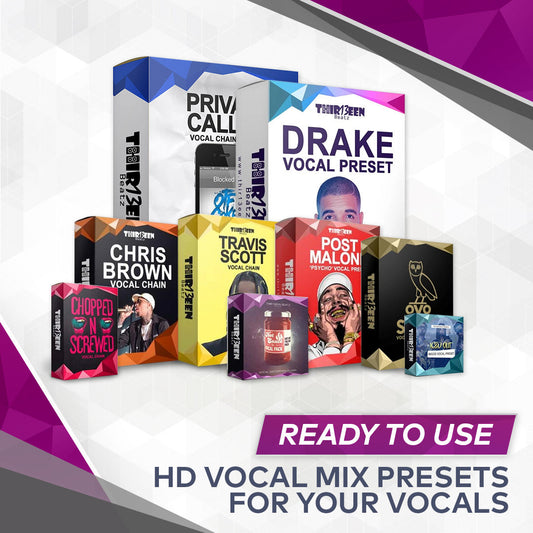
Want a finished chain instead of building one? Start with the free Toronto Warmth vocal preset for Logic Pro X. Then compare the Logic Pro Starter Pack ($19, three best sellers), the GarageBand Starter Pack ($19) and the Vocal Preset Mega Bundle for Logic Pro X ($49). You can also browse the Logic Pro vocal presets and GarageBand vocal presets collections.
Frequently asked questions
Are Logic Pro templates the same as vocal presets?
No. A template is a full project. A vocal preset is the plug-in chain for one track. You can use both together.
Where does Logic save my templates?
Save as Template puts them in a My Templates folder in the project chooser.
Can I use a template in GarageBand?
No. Logic Pro project templates do not open in GarageBand. For GarageBand, read our guide to installing and using vocal presets in GarageBand.
Are paid templates worth it?
They can save setup time. They do not replace a good recording or a good vocal chain, so build your vocal chain first and buy a template only if the arrangement or the sounds are what you lack.
Back to the full guide: Logic Pro vocals, from recording to presets. Related: Auto-Tune in Logic Pro and How to Install Logic Pro Vocal Presets (Mac, Step by Step).