


Quick answer: Free FL Studio vocal presets are easy to find, but a chain built from FL Studio's own plug-ins is a safe free option. A common order is Fruity Parametric EQ 2, Fruity Limiter or Maximus for compression, Pitcher for tuning, then Fruity Reeverb 2 and a delay on a send. Use the packs below as extra starting points.
New to free vocal presets? Our complete guide to free vocal presets covers where to find safe ones, how to install them and how to build your own.
FL Studio saves effect settings as plug-in presets and mixer states. The resources below use plug-ins or mixer presets. We do not sell FL Studio presets.
Intro to Vocal Presets for FL Studio
Vocal presets are the unsung heroes that can transform a good track into a great one, especially when you're using FL Studio.
As a seasoned music producer, I've seen how the right preset can elevate vocals from flat to fantastic. FL Studio, with its comprehensive features and flexibility, offers a fertile ground for experimenting with these presets, making it a favorite among producers of all levels.
Diving into the realm of free vocal presets opens up a world of possibilities for FL Studio users. Whether you're crafting the next big hit in your bedroom studio or just starting your journey in music production, these free resources can be a game-changer.
In this post, we'll explore the best free vocal presets available, how they can unleash your creativity, and why they're a must-have in your production toolkit.
Free Vocal Presets for FL Studio
1. PluginBoutique Free Presets

PluginBoutique stands as a reputable online marketplace for music production plugins, including a variety of free FL Studio vocal presets.
While the availability of free presets can vary, users often find high-quality options that can significantly enhance their vocal tracks.
These presets can range from subtle adjustments that improve clarity and presence to more dramatic effects that can transform the texture and tone of vocals.
It's worth noting that the selection of free presets on PluginBoutique may change from time to time, reflecting new releases and promotions. This dynamic selection ensures that users have access to fresh and innovative tools to support their music production endeavors.
Always check back frequently to discover new additions and take advantage of these valuable resources.
2. WA Productions - Free Future Vocal Presets
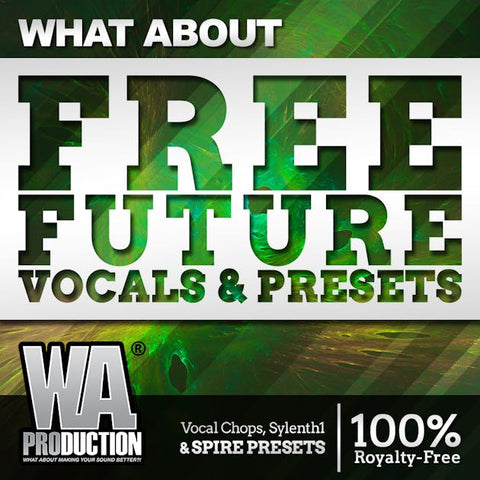
WA Production's Free Future Vocal Presets pack offers an impressive collection tailored for producers looking to infuse their tracks with the futuristic and cutting-edge vocal sounds characteristic of modern electronic music.
These presets are meticulously crafted to suit genres like Future Bass, Future House, and EDM, providing an instant upgrade to any vocal track with minimal effort.
Key Features:
- Versatility: Designed for versatility, these presets can adapt to a wide range of electronic music genres, ensuring your vocals stand out.
- Ease of Use: The presets are user-friendly, allowing even beginners to achieve professional-sounding results without needing extensive mixing knowledge.
- Quality Effects: Incorporating effects like reverb, delay, and pitch correction, these presets offer polished, radio-ready vocal sounds right out of the box.
WA Production's Free Future Vocal Presets pack is a fantastic resource for producers looking to elevate their vocal tracks with contemporary, high-quality effects.
For those seeking to expand their sound library further, exploring other free presets from WA Production is highly recommended. Their continuous commitment to providing top-notch production tools can significantly enhance your music production workflow and creativity.
Different Types of Vocal Presets for FL Studio
Exploring free vocal presets for FL Studio is like finding hidden treasures that can breathe new life into your vocal tracks. These presets are crafted to suit a wide range of music genres, ensuring that every producer can find something that matches their style and elevates their sound.
Hip-Hop & Rap: For the gritty, raw vocals typical in hip-hop and rap, there are presets designed to enhance clarity while maintaining that edgy vibe. They add punch and presence, making your rhymes stand out.
Pop: Pop vocals require brightness and polish. Free presets for FL Studio cater to pop by providing crispness and warmth, ensuring your hooks are catchy and radio-ready.
EDM: Electronic Dance Music relies on vocals that cut through heavy beats and synths. Presets for this genre emphasize clarity and add spatial effects like reverb and delay for that ethereal feel.
Rock: Rock vocals need to be powerful and gritty. Presets designed for rock enhance the raw energy of the vocals, ensuring they can hold their own against heavy guitars and drums.
No matter your genre, free vocal presets for FL Studio offer a starting point to shape your sound. They’re not just about altering the vocals; they're about enhancing the emotion and impact of your music. With a variety of presets available, producers have the tools to make their vocals shine in any mix.
Transform your vocals today with our premium presets - discover your perfect sound now!
Browse Logic Pro X Presets | Browse GarageBand Presets
Benefits of FL Studio Presets
Using free presets in FL Studio is like unlocking a whole new level of creativity without spending a penny. These presets give you the power to experiment with your vocal tracks, pushing boundaries and exploring new sounds that can make your music truly stand out.
Instant Quality: Free presets provide instant improvements to your vocal tracks, adding professional polish and clarity that might take hours to achieve manually. It's like having an expert mixer at your fingertips.
Experimentation: With no cost involved, you're free to try out different styles and effects. This freedom encourages bold experimentation, leading you to discover unique vocal sounds you might not have considered before.
Workflow Efficiency: Free presets speed up your production process. Instead of tweaking knobs for hours, you can apply a preset and adjust as needed, giving you more time to focus on other aspects of your music.
In essence, free presets in FL Studio are a gateway to elevating your music while fostering creativity. They allow you to refine your sound, experiment with new styles, and achieve professional-quality vocals, all without dipping into your budget. This opportunity to freely play and tweak can be the difference between a good track and a great one.
Keep Reading: The Best Reverb Plugins for FL Studio
Conclusion to Free FL Studio Presets
Using free vocal presets in FL Studio, like Big Drip from VocalPresets.com, offers a streamlined path to achieving professional-sounding vocal tracks. These presets are designed to enhance clarity, add polish, and ensure your vocals stand out in the mix.
With features tailored for various genres, they provide a solid foundation for your vocal processing, saving you time and effort in the mixing stage.
The versatility and ease of use make these presets a valuable asset for producers looking to elevate their music production quality without significant investment.
I encourage all FL Studio users to experiment with these free vocal presets. Playing with different presets can unlock new creative potentials, helping you discover unique sounds that can define your musical style.
Don't be afraid to tweak and adjust the presets to fit your specific needs. Experimentation is key to finding that perfect sound that complements your vocals and enhances your tracks.
With these tools at your disposal, you're well on your way to creating music that resonates with listeners and stands out in today's competitive music scene.
Frequently Asked Questions (FAQs)
Q: How to add vocal presets in FL Studio?
A: To add vocal presets in FL Studio, simply download the preset files and place them in the appropriate folder within the FL Studio directory. Then, open FL Studio, navigate to the Channel Rack, and select the desired preset from the plugin menu.
Q: How to install vocal presets in FL Studio?
A: Installing vocal presets in FL Studio involves downloading the preset files and placing them in the appropriate folder within the FL Studio directory. Once installed, open FL Studio, load the desired plugin, and select the preset from the plugin menu.
Q: How to save a vocal preset in FL Studio?
A: To save a vocal preset in FL Studio, tweak the settings of your vocal processing plugins to achieve the desired sound. Once satisfied, navigate to the plugin's preset menu and select "Save As" to save the preset with a custom name for future use.
Q: How to make a vocal preset FL Studio?
A: Making a vocal preset in FL Studio involves tweaking the settings of vocal processing plugins to achieve a desired sound. Experiment with parameters such as EQ, compression, reverb, and delay to sculpt the vocal tone, then save the preset with a custom name for easy recall in future projects.Build a free vocal chain with FL Studio's stock plug-ins
- Fruity Parametric EQ 2: high-pass near 80 to 100 Hz and a small cut around 300 Hz if boxy.
- Pitcher: set the key and scale if you want tuning.
- Compression: use Maximus or Fruity Limiter for gentle control. Aim for light gain reduction as a starting point.
- Fruity Parametric EQ 2 (tone): a light boost near 3 kHz and a small high shelf.
- Send to a reverb and delay: Fruity Reeverb 2 and Fruity Delay 3 on a separate mixer insert.
- Save the mixer track state so you can reuse it.
Which plug-ins you have depends on your FL Studio edition. The method works in any DAW. Read Logic Pro vocal chain, step by step for the logic of the order, and the Vocal EQ Cheat Sheet.
If you also use Logic Pro or GarageBand, we make presets for both. See the free vocal presets overview.
Try a finished vocal chain.
Our free Toronto Warmth preset is a full vocal chain for Logic Pro X. For more styles, see the Logic Pro vocal presets and GarageBand vocal presets collections, or the Vocal Preset Mega Bundle for Logic Pro X ($49).
Where can I download free FL Studio vocal presets?
Free FL Studio vocal presets come as plug-in presets or saved mixer track states. Download them only from the maker's own page and check that the file is for FL Studio. You do not need a download to get started: a chain built from FL Studio's stock plug-ins, saved as a mixer track state, works the same way. If you also use Logic Pro, try Toronto Warmth, our free vocal preset for Logic Pro X.
Frequently asked questions
How do I save my own vocal preset in FL Studio?
Build your chain on a mixer track, then save the mixer track state from the mixer track menu. You can also save presets inside each plug-in. Load the saved state on any new vocal track to reuse the chain.
Does FL Studio have vocal presets?
FL Studio includes plug-in presets, and you can save your own mixer chains.
Can I use a Logic Pro or GarageBand preset in FL Studio?
No. Those presets belong to their own software.
Which FL Studio plug-ins help with vocals?
Parametric EQ 2, Pitcher, Maximus or Limiter, Reeverb 2 and Delay 3 cover the basics. Availability depends on your edition.
Back to the full guide: free vocal presets for Logic Pro and GarageBand. Related: Free Ableton Vocal Presets and a Stock Vocal Chain and 8 Free Vocal Removers You Can Use On a Song.



2 comments
hh
th