


Toronto Warmth Vocal Chain Preset - For Logic Pro X
Toronto Warmth Vocal Chain Preset - For Logic Pro X
FREE: Professional Vocal Chain Preset for Logic Pro X
The Toronto Warmth preset gives you a warm, polished vocal sound inspired by the Toronto R&B scene. Professional-grade compression, EQ, and reverb — all dialed in and ready to use.
This is the same quality preset we sell for $10-$20. We're giving it away free because we know once you hear the difference, you'll want more.
What You Get
- Professional vocal chain preset file (.cst)
- Compatible with Logic Pro X (all versions)
- Instant digital download
- Works with stock Logic Pro X plugins
🔥 Ready for More? Upgrade Your Sound
Toronto Warmth is just 1 of 15 professional presets in our catalog. Here's what producers who started with this free preset upgraded to:
- Starter Pack (3 Presets) — $19 — Our 3 best sellers: Travis Scott, Post Malone, and Dynamic R&B. Save 37%.
- Chart-Topping Bundle (5 Presets) — $25 — Every hit sound from auto-tune to chopped & screwed. Save 50%.
- Mega Bundle (ALL 15 Presets) — $49 — Everything we make. The complete toolkit. Save 67%.
Use code WELCOME10 for 10% off your first purchase.
What Producers Are Saying
"I downloaded the free preset and was blown away. Bought the Mega Bundle the same day." — Marcus T.
"These presets saved me hours of mixing. My vocals sound professional for the first time." — DJ Kira
"Best $49 I've ever spent on music production." — Andre W.
Couldn't load pickup availability
Instant Download - No Waiting!
View full details
Collapsible content
Features
- Professionally Designed Chain: A vocal processing chain expertly designed to capture the essence of Drake's smooth and emotive delivery.
- Tuned Pitch Correction: Subtle yet precise pitch correction for that polished, studio-quality autotune effect.
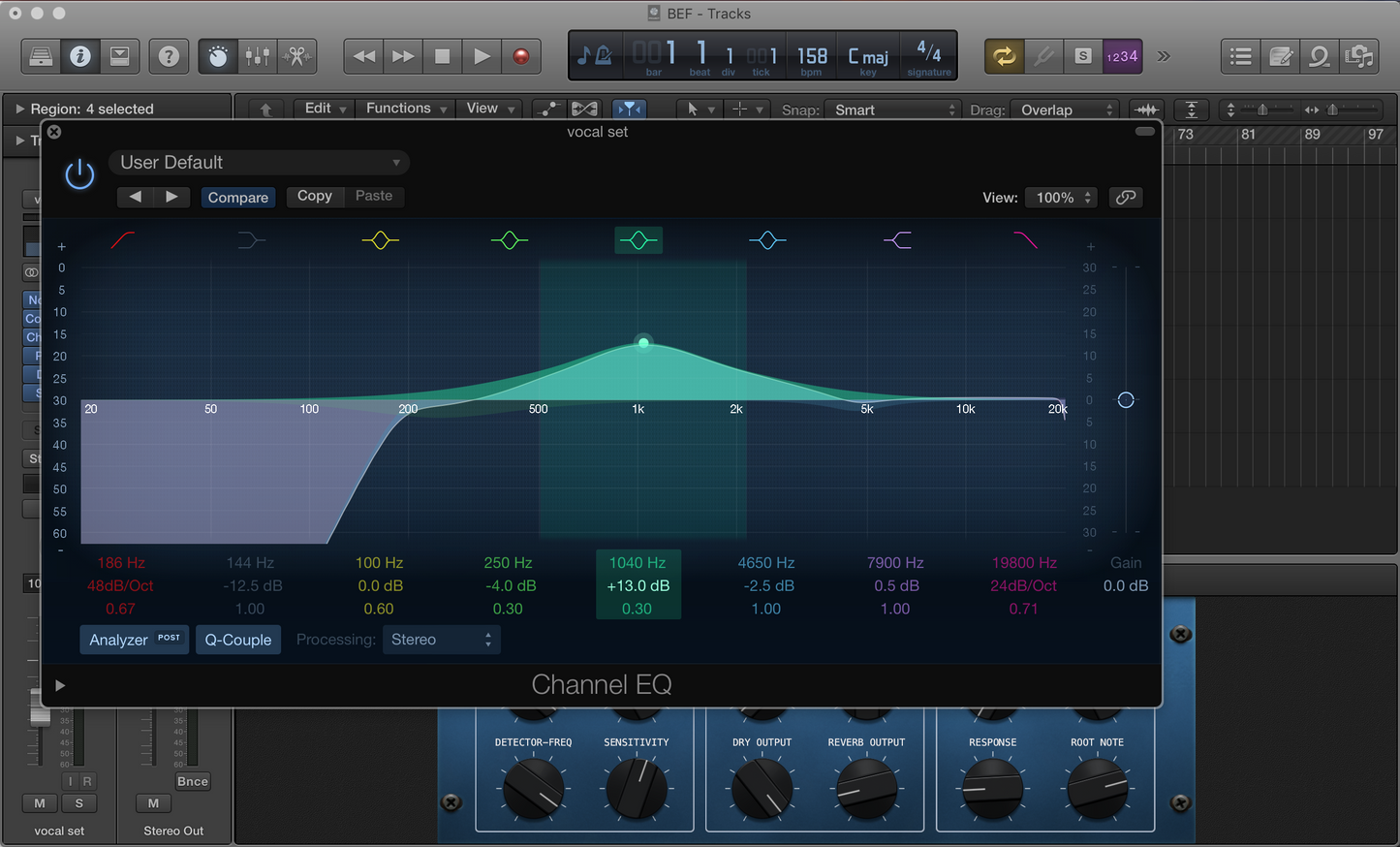
- Strategic EQ Curves: Channel EQ settings specifically shaped to highlight the vocal strengths and carve out space in the mix.
- Multi-layered Compression: Sequential compressors finely tuned to ensure your vocals have that consistent, front-and-center presence.
- Ambient Reverb: Space Designer reverb settings to give your vocals the right depth and space, mirroring Drake’s expansive soundscapes.
- Reflective Delays: Time-based delay effects that add dimension and sustain to your vocal lines.
Plugins Required
The vocal chain utilizes Logic Pro X’s powerful suite of stock plugins:
- Pitch Correction: For seamless pitch control and the characteristic touch of autotune used in Drake's music.
- Channel EQ: To sculpt and refine the frequency content, ensuring vocals sit perfectly in the mix.
- Compressor: Applied in stages to maintain a smooth vocal performance and to emulate the dynamics of Drake’s style.
- Space Designer: Offering lush reverberation to create atmospheric depth behind every word.
- Tape Delay: For rhythmic echoes and a full-bodied vocal effect.
- Noise Gate: To keep vocals pristine and free of unwanted background noise.
- Adaptive Limiter: To ensure maximum loudness and impact without clipping or distortion.
Compatibility
Logic Pro X (10.0 or later) or the latest iteration of Logic Pro following the rebrand from 'X'
Installation Guide
1. Unzip the Preset
2. Locate Channel Strip Settings:
- Open a new Finder window and navigate to 'Macintosh HD' > 'Users' > [Your Username] > 'Music' > 'Audio Music Apps' > 'Channel Strip Settings'.
- You’ll see two folders here: 'Track' and 'Bus'.
3. Install Preset Files:
- Go to the unzipped Drake Vocal Preset folder.
- Drag the CST file from the 'Bus' folder into the 'Bus' folder under 'Channel Strip Settings'.
- Drag the CST file from the 'Track' folder into the 'Track' folder under 'Channel Strip Settings'.
4. Load Preset in Logic Pro X:
- Open Logic Pro X and create a new audio track.
- On your new track, go to the 'Settings' tab, navigate to the 'Drake Vocal Preset Track' and load it.
- Set the output of this track to 'Bus 1'.
- On 'Bus 1', load the 'Drake Vocal Preset Bus' from the 'Settings' in the mixer's channel strip.
Designed by a Renowned Music Producer
Who we've collabed with:
- 50 Cent
- Marques Houston
- Ashley Walters
- C1
- Sway
- Wretch 32
Listen to the difference