


Quick answer: The best free vocal preset for Logic Pro X is our Toronto Warmth channel strip. It is a warm, polished vocal chain that uses Logic's stock plug-ins. Download it, load it on a vocal track, then adjust the input level and compressor threshold for your voice.
New to free vocal presets? Our complete guide to free vocal presets covers where to find safe ones, how to install them and how to build your own.
This page lists free Logic Pro vocal presets and how to get the most from each. Start with the first one. It costs nothing and needs no extra plug-ins.
Do you use Logic Pro to produce music? If so, you'll want to check out these free vocal presets! They're perfect for adding some extra polish to your tracks. And best of all, they're easy to use.
Simply download the presets and import them into Logic Pro. Then, start tweaking the settings to get the perfect sound for your song.
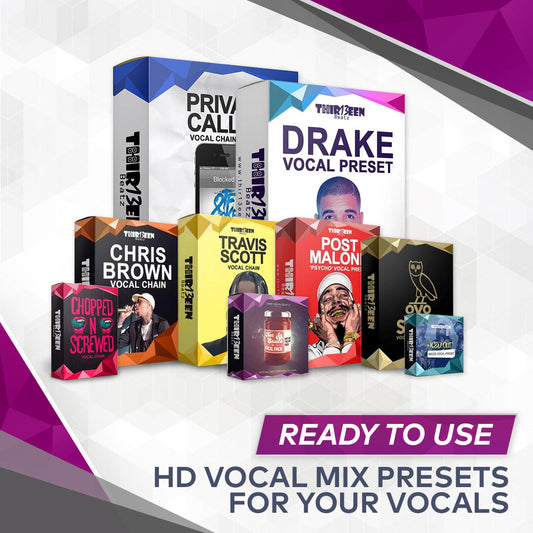
1. Logic Pro X Vocal Presets Collection by Thir13een
Thir13een sells vocal presets for Logic Pro X. Browse the collection to see the full range, including paid bundles.
If you want to try a preset first, start with the free Thir13een preset below.
2. Drake Rap Vocal Preset
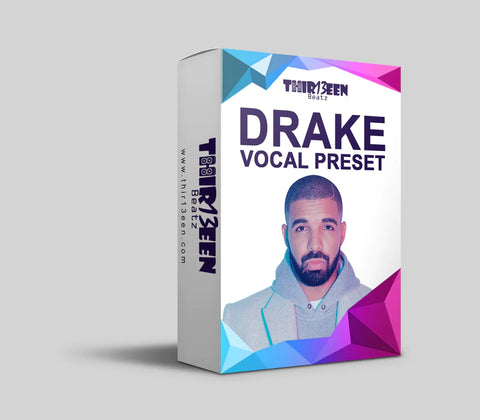

The most important part of any song is the vocals. This drake vocal chain preset for logic pro makes this part of mixing rap vocals an absolute joy. I have taken the very best settings which I use in my everyday mixes and crafted them into this chain. It works great on all styles of rappers and, best of all, they will want that sound every time
- 🎯 Simply apply to your vocals for a crisp, clean, and more full-of-life vocal effect than your original 🔥
- 🎯 This vocal chain preset for logic offers the distinctive, smooth, and rich “Drake Sound” 🔥
- 🎯 Achieve the professional audio sound you've always dreamed of 🔥
Related: 5 Ways to Make Vocals Sound Better
3. Free Vocal Preset - RysupAudio

This preset will show you how to process your vocals and the order in which to arrange your plugins. Only the essentials will be stacked on the vocal chain such as EQ, Compression, Delay, and Reverb.
Enjoy a free vocal preset to help you get started and learn more about mixing vocals. Keep in mind this is a basic preset to help you get a foundational vocal mix.
This preset will show you how to process your vocals and the order in which to arrange your plugins. Only the essentials will be stacked on the vocal chain such as EQ, Compression, Delay, and Reverb.
If you are looking for a more professional sound, I highly recommend downloading any of the other presets we provide!
Related: Mixing Rap Vocals in Logic Pro X
Related: Best 3 Logic Pro Template Websites
FREQUENTLY ASKED QUESTIONS (FAQs)
What are Vocal Presets?
In order for someone to purchase a vocal preset, they must have the necessary software.
Prior to vocal presets, you would need to go to school and spend upwards of a hundred thousand dollars to get your degree in sound engineering to understand and learn how to mix vocals well.
However, now you can simply purchase a preset created by a sound engineer who went to school and worked at a major label studio to mix and master your vocals.
What do Vocal Presets do?
To be clear, vocal presets are at their core, data. We do not sell plugins or effects such as reverb, EQ, compression, or delay - instead we sell the settings for the plugins and effects to work properly.
A common misconception of vocal presets would be that they make you sound like the artist. Vocal presets simply mix your vocals the same way the artist does. Explaining how to create, manipulate, and the process within these presets would take years.
Luckily, this complicated process which takes a whole lifetime to achieve can be saved into a small file and shared with anyone.
Are Vocal Presets worth it?
Achieving a high quality, industry standard sound while recording and making songs is the last thing preventing new artists from competing with today's top talent.
Vocal Presets are the answer to this problem. Most people are unaware that these products even exist in the market. It almost seems too good to be true that you can achieve high quality vocals in seconds.
Becoming a famous artist used to be near impossible only 5-10 years ago. One of the major reasons for this being the case is due to people not being able to make high quality music.
If you're looking for some extra polish for your Logic Pro tracks, be sure to check out the free vocal presets we've shared. They're easy to use and will give your music that extra bit of shine it needs. Have you tried using them in your own songs?
To get heavy pitch correction and stacked ad-libs, follow the Travis Scott-style vocal guide step by step.
Recommended Articles:
How to use a free preset in Logic Pro
- Download the preset and unzip it if needed.
- Place the channel strip file where Logic reads user settings, following the guide in the download. Our walkthrough is How to Install Logic Pro Vocal Presets.
- Restart Logic, add an audio track and load the preset from the Library.
- Play the loudest part of the vocal and lower the track gain if it clips.
- Adjust the compressor threshold until you see about 3 to 6 dB of gain reduction. This is a starting point.
- Switch each plug-in off and on to hear what it does, then change the reverb and delay amounts to taste.
Common problems
- The preset does not appear. Check the folder and restart Logic.
- The vocal sounds harsh. Lower the high-frequency boost or the de-esser threshold.
- Too much reverb. Turn the send down or shorten the decay.
- It sounds different from the demo. The input level, mic and room change every result.
To learn what is inside a chain, read Logic Pro vocal chain, step by step. For artist sounds, see Drake-style vocals. Other DAWs: free vocal presets overview.
Try a finished vocal chain.
Our free Toronto Warmth preset is a full vocal chain for Logic Pro X. For more styles, see the Logic Pro vocal presets and GarageBand vocal presets collections, or the Vocal Preset Mega Bundle for Logic Pro X ($49).
Frequently asked questions
Does Logic Pro come with vocal presets?
Yes. Logic includes channel strip settings for vocals in its Library. Third-party presets add more styles.
Are free Logic Pro vocal presets any good?
Many are a solid starting point. They work best on a clean recording and need small changes for your voice.
Do I need extra plug-ins?
Our Toronto Warmth preset uses Logic's stock plug-ins. Check the requirements of any other preset before you download it.
Will it work in GarageBand?
No. A Logic Pro preset does not load in GarageBand. See our GarageBand presets guide.
Back to the full guide: free vocal presets for Logic Pro and GarageBand. Related: Find Free Vocal Presets Easily and Free Vocal Presets for FL Studio and a Stock Vocal Chain.




5 comments
gang
Hi there. I would really appreciate some vocal presets for my Logic Pro.
YEET
f
gf